
The Complete Guide to TradeRitual
TradeRitual
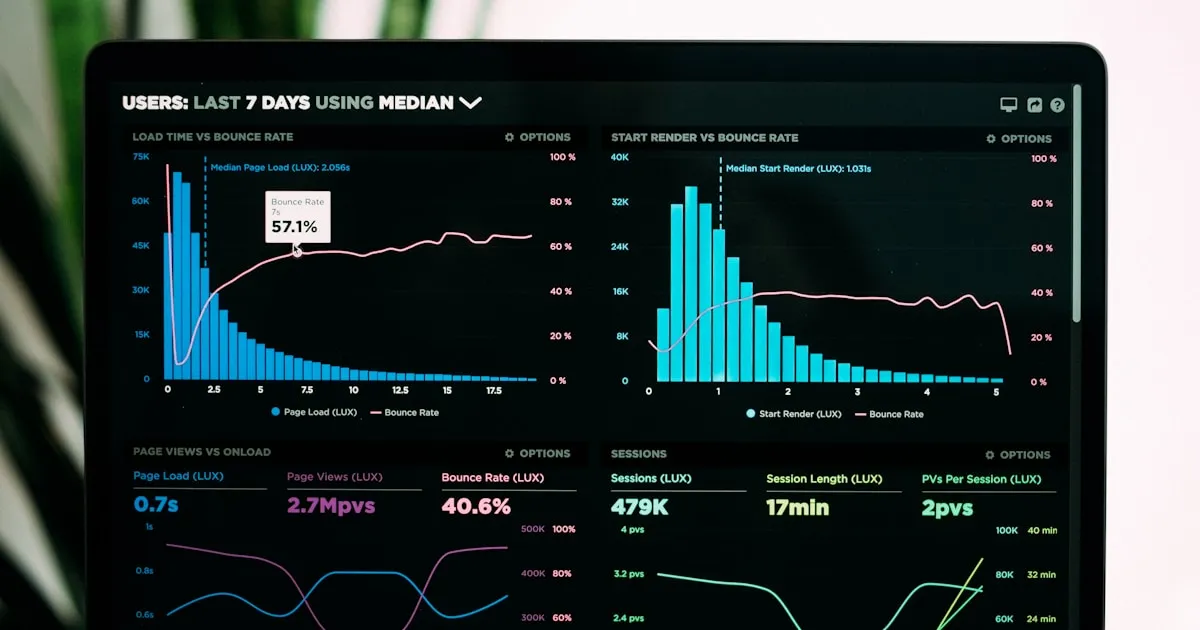
TradeRitual is designed to be intuitive, but there's power under the hood that many traders miss. This guide covers everything - from your first trade to advanced workflows.
Quick Start: Your First 5 Minutes
Step 1: Access Your Dashboard
Visit traderitual.app and sign up with your email. You'll land in your dashboard instantly.
Your data is stored locally for speed and synced to the cloud automatically — even on the free Starter plan.
Step 2: Log Your First Trade
Method 1: Quick Add (Keyboard)
Press: Cmd + N (Mac) or Ctrl + N (Windows)
Method 2: Click the + Button
Located in the header or Journal view.
Step 3: Enter Trade Details
┌─────────────────────────────────────────────────────────────┐
│                    ADD NEW TRADE                            │
├─────────────────────────────────────────────────────────────┤
│                                                             │
│  Symbol:        [AAPL      ]                                │
│                                                             │
│  Direction:     ○ Long  ● Short                             │
│                                                             │
│  Entry Price:   [175.50    ]                                │
│                                                             │
│  Exit Price:    [172.25    ]   (leave blank if still open)  │
│                                                             │
│  Quantity:      [100       ]                                │
│                                                             │
│  Notes:         [Breakdown below support, target hit        │
│                  cleanly. Followed plan exactly.         ]  │
│                                                             │
│                      [Cancel]  [Save Trade]                 │
│                                                             │
└─────────────────────────────────────────────────────────────┘
That's it! You've started your journal.
Core Features Deep Dive
1. The Journal
Your trade log - the foundation of TradeRitual.
Trade Entry Fields
| Field | Description | Tips |
|---|---|---|
| Symbol | Ticker/pair you traded | Use consistent naming (AAPL not Apple) |
| Direction | Long or Short | Required for P&L calculation |
| Entry Price | Your fill price | Be exact - don't round |
| Exit Price | Where you closed | Leave blank for open trades |
| Quantity | Position size | Shares, contracts, or units |
| Notes | Your thoughts | Be specific - future you will thank you |
Inline Editing
Click any trade to edit it directly in the table. Changes save automatically.
Bulk Actions
Select multiple trades to:
- Delete
- Export to CSV
- Add tags
Filtering & Sorting
FILTER OPTIONS:
─────────────────────────────────────
│ Time Range │ Today | Week | Month | Year | All | Custom
│ Direction  │ All | Long Only | Short Only
│ Result     │ All | Winners | Losers
│ Symbol     │ Search by ticker
│ Tags       │ Filter by your custom tags
CSV Import
Have trades from your broker?
- Go to Journal → Import
- Upload your CSV
- Map columns to TradeRitual fields
- Review and import
Supported brokers: Most brokers export CSV. TradeRitual's flexible mapper handles various formats.
2. Daily Ritual
Your pre-market mental preparation system.
Why Daily Ritual Matters
"You will get long-runs of good trades and long-runs of bad trades. Preparation determines how you handle both." - Dr. David Paul
The Daily Ritual helps you:
- Assess your mental state before trading
- Review market conditions
- Set clear intentions
- Identify emotional triggers
Daily Ritual Steps
Step 1: Emotional Check-In
How are you feeling today?

😰 Anxious    😟 Stressed    😐 Neutral    🙂 Good    😊 Excellent
  1              2              3            4            5

If <3, consider reducing size or sitting out.
Step 2: Market Context
- Major news events?
- Economic calendar items?
- Pre-market moves?
- Overnight developments?
Step 3: Trading Plan
- What setups are you watching?
- What are your risk parameters today?
- What will you NOT do today?
Step 4: Trigger Identification
- What could trigger emotional trading?
- How will you handle it if it happens?
Accessing Your Ritual History
Previous rituals are saved. Review them to spot patterns:
- Do you trade worse on "anxious" days?
- Are certain market conditions your kryptonite?
3. Habits (Block System)
The customizable dashboard for tracking trading habits.
What Are Blocks?
Blocks are modular components you can add, remove, and arrange to create your perfect tracking dashboard.
┌─────────────────────────────────────────────────────────────┐
│                      HABITS DASHBOARD                        │
├─────────────────────────────────────────────────────────────┤
│                                                             │
│  ┌─────────────────┐  ┌─────────────────┐                  │
│  │  HABIT TRACKER  │  │  STREAK         │                  │
│  │                 │  │  COUNTER        │                  │
│  │  ☑ Pre-market   │  │                 │                  │
│  │  ☑ Journal      │  │  🔥 12 days     │                  │
│  │  ☐ Exercise     │  │                 │                  │
│  └─────────────────┘  └─────────────────┘                  │
│                                                             │
│  ┌─────────────────┐  ┌─────────────────┐                  │
│  │  GOALS         │  │  NOTES          │                  │
│  │                 │  │                 │                  │
│  │  Monthly P&L:   │  │  Focus on       │                  │
│  │  $2,450/$5,000  │  │  patience...    │                  │
│  └─────────────────┘  └─────────────────┘                  │
│                                                             │
└─────────────────────────────────────────────────────────────┘
Adding Blocks
- Click "Customize" in the header
- Click "Add Block"
- Choose from available block types
- Configure the block
- Drag to position
Available Block Types
| Block Type | Purpose |
|---|---|
| Habit Tracker | Daily checkbox habits with streaks |
| Goal Tracker | Progress toward targets |
| Streak Counter | Consecutive day tracking |
| Notes | Free-form text area |
| Quick Stats | Key metrics at a glance |
Customizing Blocks
Click the ⋯ menu on any block to:
- Edit settings
- Change appearance (card/minimal/transparent)
- Duplicate
- Delete
Saving Templates
Built a dashboard you love?
- Click "Save Dashboard" in customize mode
- Name your template
- Load it anytime or share with others
4. Analytics
Your performance insights engine.
Overview Metrics
┌─────────────────────────────────────────────────────────────┐
│                    ANALYTICS OVERVIEW                        │
├─────────────────────────────────────────────────────────────┤
│                                                             │
│  Total P&L        Win Rate         Profit Factor            │
│  ┌─────────┐      ┌─────────┐      ┌─────────┐             │
│  │ $12,450 │      │  72.5%  │      │  2.45   │             │
│  │   ▲ 15% │      │   ▲ 3%  │      │   ▲ 0.2 │             │
│  └─────────┘      └─────────┘      └─────────┘             │
│                                                             │
│  Avg Win          Avg Loss         Avg R:R                  │
│  ┌─────────┐      ┌─────────┐      ┌─────────┐             │
│  │  $450   │      │  -$197  │      │  1:2.3  │             │
│  └─────────┘      └─────────┘      └─────────┘             │
│                                                             │
│  Win Streak       Loss Streak      Expectancy               │
│  ┌─────────┐      ┌─────────┐      ┌─────────┐             │
│  │    5    │      │    2    │      │  $113   │             │
│  └─────────┘      └─────────┘      └─────────┘             │
│                                                             │
└─────────────────────────────────────────────────────────────┘
What Each Metric Means
| Metric | Formula | What It Tells You |
|---|---|---|
| Total P&L | Sum of all trade profits/losses | Overall performance |
| Win Rate | Winners ÷ Total Trades | How often you win |
| Profit Factor | Gross Profit ÷ Gross Loss | Quality of edge |
| Avg Win | Sum of Wins ÷ Win Count | Typical winning trade |
| Avg Loss | Sum of Losses ÷ Loss Count | Typical losing trade |
| Avg R:R | Avg Win ÷ Avg Loss | Risk/reward profile |
| Expectancy | Expected value per trade | Your true edge |
| Win/Loss Streak | Longest consecutive | Variance indicator |
Performance Charts
Equity Curve: See your account growth over time. A smooth upward curve indicates consistent execution.
Daily P&L: Bar chart showing daily results. Helps identify patterns (bad Mondays? Strong Fridays?).
Win/Loss Distribution: Histogram of trade results. Shows if you're cutting losers and letting winners run.
5. Calendar View
Visual overview of your trading activity.
         JANUARY 2025
   Su   Mo   Tu   We   Th   Fr   Sa
                  1    2    3    4
                 ⬜   🟢   🔴   ⬜

   5    6    7    8    9    10   11
  ⬜   🟢   🟢   🔴   🟢   🟢   ⬜

  12   13   14   15   16   17   18
  ⬜   🟢   ⬜   🟢   🟢   🔴   ⬜

  Legend: 🟢 Profitable day | 🔴 Losing day | ⬜ No trades
Click any day to:
- See all trades from that day
- View daily notes
- Check your ritual from that morning
6. Strategies
Track performance by strategy type.
- Create named strategies (e.g., breakout, pullback, reversal)
- Assign trades to strategies
- Compare strategy performance side by side
- Identify your highest-expectancy setups
7. AI Trading Assistant
Get AI-powered insights on your trading performance:
- Pattern recognition across your trade history
- Personalized feedback on strengths and weaknesses
- Trade-specific analysis and suggestions
- Available on all plans (10 AI queries/day on Starter, 20 on Growth, unlimited on Pro)
8. Broker Sync
Auto-import trades directly from your brokerage account:
- Connect via SnapTrade integration
- Automatic trade import — no more manual entry
- Available on the Pro plan
Power User Features
Keyboard Shortcuts
| Shortcut | Action |
|---|---|
Cmd/Ctrl + N |
New trade |
Cmd/Ctrl + F |
Search trades |
Cmd/Ctrl + E |
Export data |
? |
Show shortcuts help |
Tags System
Create custom tags to categorize trades:
- Setup type (breakout, pullback, reversal)
- Market condition (trending, range, volatile)
- Emotion (followed plan, FOMO, revenge)
EXAMPLE TAGS:
─────────────────────────────────────
#breakout  #trending  #followed-plan
#pullback  #range     #fomo
#reversal  #volatile  #revenge
Data Export
Export your data anytime:
- CSV: Full trade data for spreadsheets
- PDF (Pro): Formatted reports
Dark Mode
Toggle in Settings. Easier on the eyes during long sessions.
Cloud Sync (All Plans)
Every account includes automatic cloud sync:
- Access your journal from any browser or device
- Automatic backups — never lose your data
- Local-first architecture means instant performance, with cloud sync in the background
Workflows for Different Trading Styles
Day Trader Workflow
MORNING:
1. Complete Daily Ritual (5 min)
2. Review overnight notes
3. Check habit blocks

DURING SESSION:
4. Log trades immediately via quick-add
5. Add notes while fresh

END OF DAY:
6. Review all trades
7. Update habit tracker
8. Write session notes
Swing Trader Workflow
WEEKEND:
1. Review week's trades
2. Update analytics
3. Plan next week's watchlist

DAILY:
4. Quick ritual check-in
5. Monitor open positions
6. Log new entries/exits
Position Trader Workflow
MONTHLY:
1. Deep analytics review
2. Strategy performance check
3. Adjust trading plan

WEEKLY:
4. Position updates
5. Journal entries
6. Habit tracking
Troubleshooting
"My data disappeared!"
Data is stored locally in your browser and synced to the cloud. Check:
- Are you using the same browser?
- Did you clear browser data?
- Are you in incognito/private mode?
- Are you logged in to the same account?
Your data is automatically backed up via cloud sync, so logging back in should restore everything.
"Import isn't working"
Common issues:
- Date format mismatch - check your CSV date format
- Missing required columns - ensure Symbol, Entry, Exit are present
- Special characters - some brokers add extra characters
"Metrics seem wrong"
Check:
- Are all trades complete (have exit prices)?
- Are quantities entered correctly?
- Is the time filter set correctly?
Getting the Most from TradeRitual
Daily Habits Checklist
- [ ] Complete Daily Ritual before market open
- [ ] Log every trade same-day
- [ ] Add notes while memory is fresh
- [ ] Update habit tracker
- [ ] Quick evening review
Weekly Habits Checklist
- [ ] Full analytics review (15 min)
- [ ] Read through week's notes
- [ ] Calculate weekly metrics
- [ ] Identify one area to improve
- [ ] Plan next week's focus
Monthly Habits Checklist
- [ ] Export data backup
- [ ] Deep dive on metrics
- [ ] Review strategy performance
- [ ] Adjust trading plan if needed
- [ ] Set new monthly goals
Feature Requests & Feedback
We build TradeRitual based on trader feedback.
To submit ideas:
- Go to Settings → Feature Requests
- Or join our Discord and post in #feature-requests
- Or email feedback@traderitual.app
Summary
TradeRitual is built on three pillars:
- Journal - Log every trade with context
- Habits - Track the behaviors that drive results
- Analytics - Understand your true performance
Use all three consistently, and you'll have everything you need to improve as a trader.
Start now: Sign up free at traderitual.app — includes cloud sync, analytics, and a 14-day Growth trial.
Questions? Join our Discord community for help and tips.